





OCR stands for Optical Character Recognition. It is the technology that converts images of text (scanned documents, photos of pages, PDF screenshots) into machine-readable, searchable text. Modern OCR is AI-augmented, accurate enough on clean inputs to clear 99% on key fields, and now powers everything from cheque truncation at banks to selfie-based KYC at fintechs.
This walkthrough covers the acronym, the mechanics, the four sibling technologies it gets confused with (ICR, OMR, MICR), and the use cases that matter most in Indian banking and finance.
What Is OCR (Full Form and How It Actually Works)
OCR is older than most people realise: the earliest commercial scanners shipped in the 1970s. What changed in the last decade is the underlying recognition engine. Classical pattern-matching OCR has given way to deep-learning models that read context, not just glyphs. The result is much higher accuracy on noisy, multilingual, or partially obscured inputs.
The 4-step pipeline: capture, preprocess, recognise, output
Every OCR engine, classical or modern, runs the same four stages.
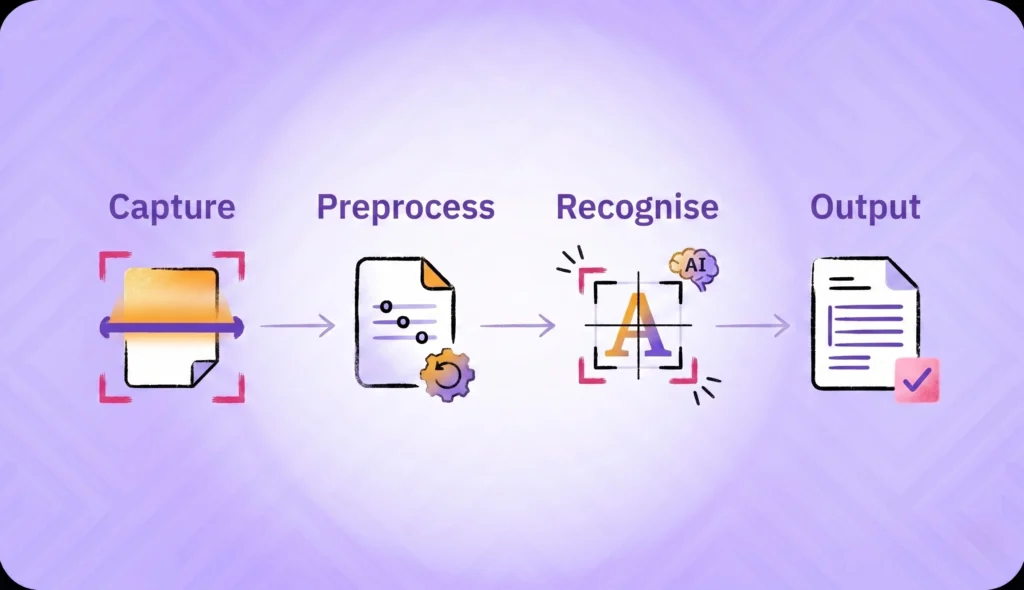
Capture acquires the image: a scanner, a smartphone camera, or a PDF page. Image quality at this stage caps the entire pipeline; an out-of-focus photo never produces a clean OCR result.
Preprocessing prepares the image for recognition: deskew (rotate to upright), binarise (convert to black-and-white), denoise (remove speckle and JPEG artifacts), and segment (separate text regions from images and tables). On a well-lit, flat document this stage is fast; on a crumpled receipt it is the most expensive step.
Recognition turns text regions into characters. Classical OCR matched glyph patterns against a template library. Modern OCR uses convolutional neural networks (CNNs) and transformer models to read entire words and lines as units, with context that lets it disambiguate “I” from “1” based on neighbouring characters.
Output structures the recognised text. The simplest output is a single string of plain text; production OCR returns structured JSON with field-level confidence scores so downstream systems can decide which extractions to trust automatically and which to flag for human review.
Pattern matching vs. feature extraction
The two approaches dominate different eras.
Pattern matching compares each character region against a stored template (the letter “A” template, the letter “B” template, and so on). It works well on standardised printed fonts and breaks on anything else. Most legacy OCR engines built before 2010 use this approach.
Feature extraction looks at the structural properties of each character: line directions, intersections, curvature, stroke width. The model is trained on millions of examples and learns to recognise characters by their underlying features rather than pixel-level matches. Feature extraction handles handwriting, mixed fonts, multilingual content, and noisy inputs much better than pattern matching.
Modern production OCR is feature-extraction based, with CNN backbones and transformer heads. The accuracy gain on real-world receipts, IDs, and forms compared to pattern-matching legacy engines is dramatic.
The role of AI and generative models in modern OCR
The newest OCR engines combine traditional recognition with large language models for context-aware error correction. If the OCR pipeline is uncertain whether a character is “0” or “O”, a language model that knows the word should be “October” can disambiguate.
The trade-off is hallucination risk. A language model “correcting” a stat or an account number into something more plausible-sounding is dangerous in regulated workflows. High-stakes flows, KYC, lending, insurance claims, anchor on classical accuracy with confidence scoring per field, and reserve LLM augmentation for context-only tasks like field-name interpretation. OCR accuracy benchmarks under varied input conditions matter more than the model architecture for most procurement decisions.
OCR vs. ICR vs. OMR vs. MICR
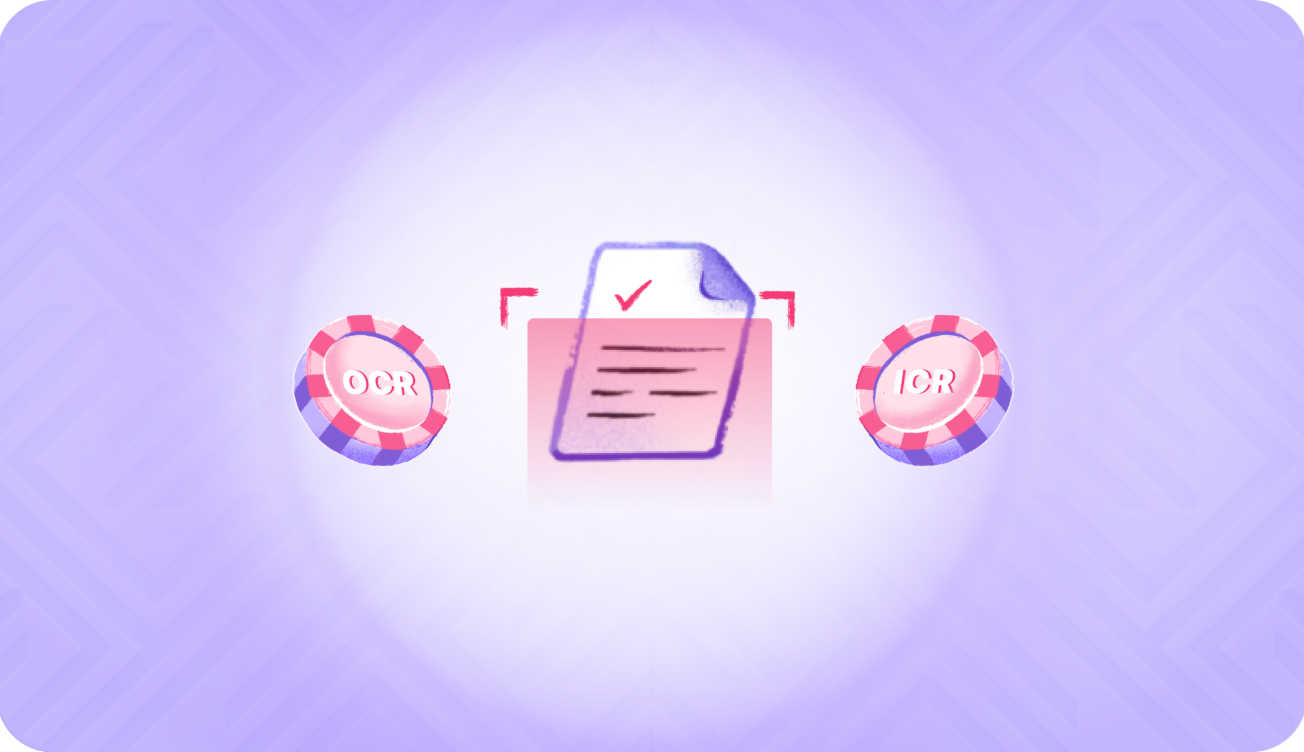
The four acronyms get confused. They are different technologies for different inputs.
| Acronym | Full Form | Best For | Input Type | Typical Accuracy | Common Use Case |
|---|---|---|---|---|---|
| OCR | Optical Character Recognition | Printed text | Scanned docs, photos, PDFs | ~95–99% on clean inputs | Document digitisation, ID extraction |
| ICR | Intelligent Character Recognition | Handwritten text | Handwritten forms, cheques (signatures) | ~85–95% | Form processing, postal sorting |
| OMR | Optical Mark Recognition | Marks and bubbles | Multiple-choice exam sheets, ballot papers | ~99% | Exam scoring, surveys, voting |
| MICR | Magnetic Ink Character Recognition | Magnetic-ink characters | Cheque MICR line | ~99.9% | Cheque clearing, payment routing |
When you’d pick one over the other
The choice is determined by the input, not by preference.
KYC form intake usually combines OCR and ICR: printed labels (OCR) plus handwritten responses (ICR) on the same form.
Aadhaar, PAN, and passport extraction is OCR. Modern face-detection plus OCR handles ID documents end-to-end; face detection finds the photo region, OCR extracts the text fields.
Exam-sheet digitisation is OMR. The marks are bubbles, not characters; OCR engines do not handle them efficiently.
Cheque truncation is MICR. The MICR line at the bottom of every Indian cheque uses magnetic ink readable by a specialised reader, not by an OCR camera. The ~99.9% accuracy is what makes the National Payments Corporation of India’s cheque-clearing system reliable.
Hybrid OCR-plus-ICR engines exist for forms with mixed printed and handwritten content. They run both pipelines in parallel and merge the results into one structured output.
OCR Use Cases
KYC and identity-document extraction
The single highest-volume use case in Indian financial services. Banks, NBFCs, fintechs, and insurers run OCR on Aadhaar, PAN, passport, voter ID, and driving licence at every onboarding event. The fields extracted (name, date of birth, document number, validity, address) become the input to downstream verification: government API checks, face match, fraud scoring.
For Aadhaar specifically, UIDAI’s masked Aadhaar guidance requires that only the last four digits of the 12-digit number are displayed; the OCR engine reads the full number internally for verification but the user-facing display is masked. Aadhaar OCR via verification API handles this masking automatically.
Field-level OCR on identity documents is meaningfully harder than freeform text OCR. The document has fixed regions (name in one box, date of birth in another), holograms and watermarks designed to defeat scanning, and orientation challenges (the document might be photographed upside-down or at an angle). Specialised IDV-vendor OCR is tuned for these constraints and performs better than generic OCR APIs from cloud providers. The ID card OCR API and Aadhaar card verification OCR layer in the regional ID-document handling Indian buyers actually need.
Bank statement and payslip OCR
The underwriting use case. Lenders extract transactions, salary credits, EMI obligations, and average balances from bank statements and payslips to make credit decisions. Bank statement OCR is structurally different from ID OCR: the document has tables, columns, and date patterns rather than fixed fields. The model has to read row-by-row and reconstruct the transaction history.
The output structure matters as much as the OCR accuracy. A lender does not just need to know that ₹50,000 was credited; they need to know it was a salary credit (not a transfer or refund), on a specific date, from a specific employer.
Document digitisation and accessibility
The original use case. OCR digitises legal records, government forms, and books for archival, search, and screen-reader accessibility. The accuracy bar is high but the throughput requirements are lower than real-time KYC OCR; this is where classical OCR still ships in production.
License plate, invoice, and receipt OCR
The adjacent applications. License plate recognition (LPR) is OCR tuned for fixed-format short strings under variable lighting. Invoice and receipt OCR extract structured fields: vendor, total, line items, tax. Each application has its own training data and tuning; treating them as one generic OCR problem produces sub-par results.
Indian-Language OCR
The frontier most foreign OCR vendors do not handle well.
Why Devanagari, Tamil, Bengali, Telugu OCR is harder
Indian scripts are structurally more complex than Latin alphabets. Compound characters (ligatures) combine two or three base characters into a single visual unit. Conjuncts stack characters vertically. Vowel marks attach above, below, or beside consonants depending on the script. Devanagari alone has thousands of possible character combinations, which is many times the size of the Latin alphabet.
Training data is also thinner. Latin-script OCR has decades of digitised English text to train on. Indian-script OCR has a fraction of that, with regional variation (Bengali differs across India and Bangladesh, Tamil differs across India and Sri Lanka).
The result is an accuracy gap. Field-level OCR on clean Hindi or Tamil receipts typically lags English by 5 to 15 percentage points in 2026. The gap narrows as training data grows but is unlikely to close fully in the near term.
Where Indian-language OCR matters most
Vernacular ID documents: state-issued documents in regional languages, especially in semi-urban and rural India. Handwritten KYC forms in regional banks, where the customer writes in their native script. Government-form digitisation under Digital India initiatives, where archival records sit in multiple regional scripts.
For Indian buyers, regional model fine-tuning is the difference between a generic OCR API that works for English and an OCR layer that handles their actual production traffic. Pure cloud-vendor OCR (AWS, Azure, Google) tends to underperform on Indic scripts compared to specialised IDV vendors with regional training data.
Limitations and Failure Modes of OCR
Where OCR breaks
The conditions that drag down accuracy in production:
- Glare and shadows on the document, especially with smartphone captures.
- Crumpled, faded, or photocopied source images.
- Mixed scripts on a single document (Hindi labels with English values, for example).
- Stylised fonts and decorative borders that confuse the segmentation step.
- Low-resolution captures (under 200 DPI for printed text, more for handwriting).
A cheap OCR pipeline rejects these. A production-grade pipeline grades them by confidence and routes the low-confidence cases to manual review.
How identity-verification stacks compensate
Three patterns reduce OCR’s failure-rate impact in regulated workflows:
Multi-pass OCR with confidence scoring. The OCR engine returns confidence per field. High-confidence fields auto-approve; low-confidence fields trigger a second pass with different preprocessing or are routed to human review.
Manual-review fallback. Production digital KYC flows always have a human-review queue for the long tail of uncertain extractions. This is non-negotiable for regulated entities.
Cross-validation against government APIs. The OCR engine extracts the Aadhaar number from the document; UIDAI’s API confirms whether that number is valid, active, and matches the rest of the demographic data. The OCR field becomes the input; the API becomes the truth. This combination is more reliable than either layer alone, especially when paired with document liveness detection to confirm the document itself is genuine.
For individual KYC documents and the verifier-side perspective, the OCR layer is one of four parallel checks (with face match, government API, and fraud signals) that combine into a single onboarding decision.
See How It Works
HyperVerge’s OCR software extracts every field from Indian ID documents, Aadhaar, PAN, passport, voter ID, with field-level confidence scoring and regional model tuning for Indic scripts. Talk to our team to see how OCR fits inside the broader digital KYC pipeline. Book a demo.
FAQs
What is the full form of OCR?
OCR stands for Optical Character Recognition. It is the technology that converts images of text (scanned documents, photos, PDF screenshots) into machine-readable, searchable text. Modern OCR uses deep-learning models and is accurate enough on clean inputs to clear 99% on key fields.
What is OCR used for?
The largest production use cases are KYC document extraction (Aadhaar, PAN, passport at banks and fintechs), bank statement and payslip OCR for lending underwriting, cheque processing, document digitisation for archives, license plate recognition, receipt and invoice OCR, and screen-reader accessibility for visually impaired users.
What is the difference between OCR and ICR?
OCR (Optical Character Recognition) reads printed text and is accurate around 95 to 99% on clean inputs. ICR (Intelligent Character Recognition) reads handwritten text and is accurate around 85 to 95%. ICR is harder because handwriting varies more than print. Hybrid engines run both pipelines for forms with mixed content.
How does OCR work?
OCR runs four steps: capture (scan or photograph), preprocess (deskew, denoise, segment), recognise (read characters using pattern matching or feature extraction), and output (return text or structured JSON with confidence scores). Modern OCR uses CNNs and transformer models for the recognition step.
What is OCR in computer terms?
OCR is software that takes an image input (PNG, JPEG, PDF) and produces a text output. The pipeline runs inside a single program or as a service called over an API. In banking and fintech, OCR is usually consumed as an API that returns structured JSON rather than as standalone software.
Is OCR free to use?
Some OCR is free: open-source engines like Tesseract, browser-based tools, and free tiers from cloud vendors. Production OCR for regulated workflows is usually paid, because the accuracy, throughput, and support guarantees that matter for KYC, underwriting, or insurance claims are not in the free tiers.
What are examples of OCR software?
Open-source: Tesseract. Cloud APIs: AWS Textract, Azure Form Recognizer, Google Cloud Vision. Specialised IDV vendors: HyperVerge for Indian ID documents, Veryfi and Klippa for receipts, ABBYY FineReader for general document digitisation. The right choice depends on document type and accuracy requirements.
What is the difference between OCR, OMR, and MICR?
OCR reads printed text. OMR (Optical Mark Recognition) reads filled-in bubbles and marks on exam sheets and ballots, around 99% accurate. MICR (Magnetic Ink Character Recognition) reads the magnetic-ink characters on cheques, around 99.9% accurate. Each technology is tuned for one input type; using the wrong one produces poor results.