





Activating Know Your Customer (KYC) on Groww takes about 10 minutes for most customers and is structured as a guided flow inside the Groww app. The flow uses Aadhaar e-KYC by default, falling back to manual document review when Aadhaar verification cannot complete. This article walks through the seven activation steps, what each one expects from you, what to do if your KYC gets stuck on verification, and how the re-KYC flow differs from a first-time setup.
If you are already a Groww user and your KYC is showing as “verification pending” or “on hold,” skip to the troubleshooting section.
Quick answer: the 7-step KYC activation flow on Groww
Activating KYC on Groww takes about 10 minutes for most customers and is structured as a single in-app flow. The seven steps are listed below in order. The detailed walkthrough for each step follows further down.
- Download the Groww app and tap Sign Up.
- Enter mobile number and verify with the OTP.
- Enter email and verify with the OTP.
- Enter PAN details, with the name matching the PAN card exactly.
- Fill personal details: date of birth, address, occupation.
- Add bank details and verify with penny-drop or IFSC validation.
- Upload selfie and signature, then submit for KYC.
If your KYC was already validated through another broker or the central KYC registry (CKYCRR), Groww may shorten the flow. CKYCRR is the registry that holds shared KYC records across asset management companies; for the wider context, our CKYCRR explainer covers how it works.
KYC for mutual funds
The Securities and Exchange Board of India (SEBI) mandates that all mutual fund investors complete KYC–a process that involves identifying investors through several authorized documents viz. Aadhaar cards, driving licenses, voter identity cards, passports, etc.
Currently, KYC is categorized into three types: ‘Validated,’ ‘Registered,’ and ‘On Hold.’
Here’s what it means–
- Validated: An ‘Validated’ investor status, achieved through Aadhaar verification, can invest in any mutual fund without restrictions and get access to all the mutual fund houses.
- Registered: Investors who completed their KYC through documents like driving licenses or voter IDs are restricted from investing. They can only purchase or sell units in the existing mutual funds but cannot invest in other mutual funds.
- On Hold: Investors with this status face restrictions on both investing and redeeming mutual funds.
Online KYC
If you are looking to avoid the hassles of offline KYC such as physical document submission or in-person verification, you can complete your KYC online through the Groww app.
Below is the Groww KYC step-by-step guide–
Online KYC with Groww
Once you have downloaded the Groww app and registered with your email, the steps next are as follows
- Enter and verify your mobile number.
- Now, enter the details of your PAN card along with the name as it is on the card.
- Enter personal information in the form: date of birth, gender, and nominee details. Also, provide details to questions such as the mother’s/father’s names and marital status.
- Next, connect your bank account by entering the IFSC code and bank account number.
- You will be asked to share a clear image of yourself, after which you will have to record a small video for identification. Also, capture clear images of your PAN card and Aadhaar card for address verification.
- Then, review and check the details, then tap ‘I agree’ to the terms and conditions to complete the process.
- Lastly, you need to upload an e-signature.
Once done, your Groww KYC process will be complete, and you can start investing immediately.
Are you tired of fraud threats and lengthy verification processes?
Sign up today and experience quick, reliable, and user-friendly verification tailored to your needs. Schedule a DemoDocuments required for KYC
Groww KYC documents required in case of individual investors are as follows–
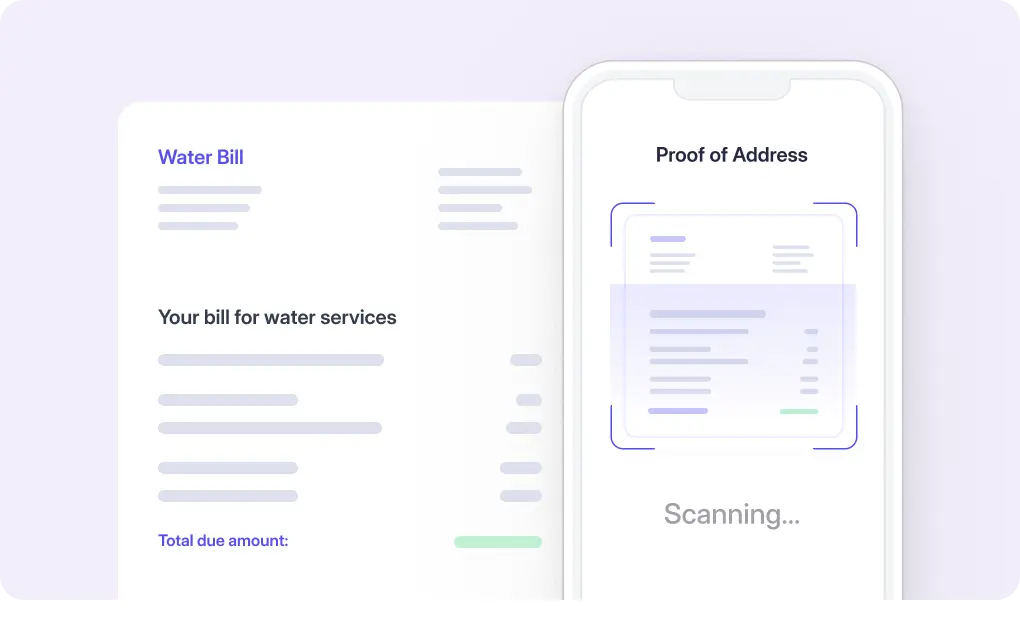
Proof of Identity (PoI):
- Aadhaar card
- Voter’s ID
- Driving license
- Passport
- PAN card
- Government-issued ID cards
Proof of Address (PoA):
- Aadhaar card
- Voter’s ID
- Driving license
- Passport
- Registered lease agreement
- Utility bills less than 3 months old
How to complete Aadhaar e-KYC
Aadhaar eKYC makes verification of identity easier through its Aadhaar database. It involves the use of biometric and demographic information held by the Unique Identification Authority of India. Given that UIDAI has already verified this information, the process is faster and reduces the need for extensive documentation.
There are two methods by which Aadhaar eKYC can completed:
Biometric Authentication
- Provide your Aadhaar card to the service provider who will then record your Aadhaar number.
- Next, a biometric scanner will be used to capture a fingerprint or retinal scan of your fingerprint.
- This biometric data is then sent to UIDAI to be matched against their database.
- Once the values match, and your identity gets confirmed, the service provider gets access to your Demographic information — DOB, address, photograph, etc.
OTP Authentication
- Present your Aadhaar card to the service provider.
- UIDAI will send an OTP to your registered mobile number.
- Feed the OTP into the device provided by the service provider.
- On verification, UIDAI will share the information with the service provider, thereby completing the eKYC.
Note: If investors opt for eKYC based on OTP, they can invest only up to Rs. 50,000 per fund house per year. To read more about document verification, click here.
Why is my Groww KYC stuck on verification?
Groww KYC verification clears in minutes for most customers using Aadhaar e-KYC. When it stalls, four reasons account for the majority of cases. We will name each one and what to do about it, then walk through the right escalation order if the wait is genuinely too long.
The four common reasons KYC fails or stalls
1. PAN-Aadhaar mismatch. The most common cause. The name on your PAN card has to match the name in the UIDAI Aadhaar database exactly. Spelling differences (Kumar versus Kr.), order differences (first-middle-last versus last-first), or date-of-birth mismatches will hold up the verification. The fix is on the PAN side: file a PAN correction with the Income Tax Department through NSDL or UTIITSL, then re-attempt KYC after the change reflects in the Aadhaar-PAN linkage.
2. Document image quality. Blurry photos, glare on plastic cards, cropped corners, or shadows that obscure the document number cause the OCR layer to fail. The fix is faster than the first one: retake the photo in good lighting, hold the phone steady, and make sure the entire document fits within the capture frame.
3. Bank account name mismatch. The name on the bank account you provided does not match the name on the PAN. This is common for accounts opened before a marriage or legal name change. The fix is to update the bank account name through your bank, then re-submit on Groww.
4. SEBI or CKYCRR flag from a previous broker. If you opened a Demat or trading account with another broker before, your KYC may carry a flag in the central KYC registry that needs clearing. This is rare but real. The fix is to contact the original broker, request the flag review, and then re-attempt Groww KYC.
How long should it actually take?
Aadhaar OTP-based e-KYC: under 5 minutes in most cases.
Manual verification path (when Aadhaar is unavailable or the system routes the customer to in-person KYC): 24 to 72 hours typical, up to 7 working days when document review is queued.
If you are past 7 working days with no movement, the wait is no longer normal. The escalation path below applies.
How to escalate, in order
- In-app chat. Groww’s in-app support is the first stop. Most stalls are resolved here within 24 hours.
- Email Groww support. Use
support@groww.inif in-app chat does not resolve the case. Include your registered mobile number, PAN, and a clear description of which step is stuck. - Twitter / X. Tagging @_groww publicly sometimes accelerates response. Effectiveness varies. Reserve this for cases where email support has not responded within 48 hours.
- SEBI SCORES portal. This is the regulatory complaint channel for SEBI-registered intermediaries, which Groww is. SCORES has real teeth. File a complaint here only after the broker’s own channels have failed, and only for cases that have been pending more than two weeks. SEBI generally requires 30 days for the broker to respond before escalating further.
Re-KYC vs first-time KYC: what’s different
If you have invested through Groww before, or through any SEBI-registered broker, your KYC may already be validated in the central KYC registry. The flow you see when you next open the Groww app is shorter than the first-time activation.
Why SEBI re-KYC rules matter
SEBI’s 2024 rule changes mandated re-KYC across asset management companies, with the central registry (CKYCRR) acting as the consolidated record. The rule means a customer’s KYC, once validated and registered, is portable across SEBI-regulated platforms.
For an existing Groww user, this typically translates to: if your CKYC status is “validated” or “registered,” your re-KYC on Groww may skip the document upload steps and confirm only the latest contact and bank details. If your CKYC is “on hold,” you will be routed back through a fuller flow.
The shortened re-KYC flow
The shortened flow varies by which fields have changed since the original KYC. The pattern Groww typically uses:
- Name change (marriage, legal change): re-link Aadhaar, re-upload PAN if the name has been updated, re-confirm bank details.
- Address change: update address, no document re-upload required if the underlying KYC is current.
- Contact change (mobile or email): OTP-verify the new contact, no document re-upload.
If your KYC is more than 8 to 10 years old, RBI and SEBI cycles will require a fuller re-verification regardless of the change scope.
Putting it all together
KYC on Groww is straightforward when the data lines up cleanly. When it does not, the four reasons covered above account for almost every case, and the escalation path is the same regardless of which one applies. If you are starting fresh, the seven steps at the top of this article are the full flow. If you are returning, the re-KYC section covers what changes.
If your KYC has been pending for more than 7 working days, the in-app support route resolves most cases within 24 to 48 hours. SEBI SCORES is the regulatory channel for cases that genuinely stall.
Behind the scenes: how Groww’s KYC actually works
If you are reading this from a fintech or compliance angle, the customer-facing flow above sits on top of an identity verification stack with five working layers. Document capture and OCR extract data from the PAN, Aadhaar, and bank-proof images. Face match links the selfie to the document photo. Liveness detection rules out spoof attacks. Database checks corroborate the data against PAN, NSDL, and UIDAI registries. AML screening checks the customer against sanctions, PEP, and adverse-media lists.
The same primitives power most modern broker, NBFC, and bank onboarding flows. We covered the broader topology in our breakdown of digital KYC types and our overview of components of KYC for compliance teams designing this kind of stack from scratch. If you build this kind of onboarding flow for a living and want to see how the layers fit together inside one orchestration, book a walkthrough with our team.