


How much of your work week is lost to searching for files, copying information, and correcting formatting errors?
This cycle of manual document handling does more than consume hours; it creates a drag on your entire operation. Invoices stall, contracts require rework, and customer onboarding stretches from days into weeks. You’d agree that the cost extends beyond time here, impacting cash flow, client satisfaction, and your team’s capacity for strategic work.
Now, the market does offer a vast pool of document automation software, each claiming to solve these problems. But the challenge now is determining which solution genuinely fits your specific workflows and can grow with your business.
In 2026, document automation has evolved beyond templates. Modern platforms combine document generation with Document AI (intelligent extraction and classification) and governed workflows (approvals, audit trails, role-based controls). The goal is reliable, compliant outcomes at scale.
In this guide, we cut through the noise and provide a detailed breakdown of the best document automation software so you can choose the right one for your unique needs.
What actually is document automation software?
In the simplest terms, document automation software helps organizations create, manage, and process documents automatically without manual effort or repetitive formatting.
It typically works through ready-made templates and linked data sources like CRMs or internal databases to quickly produce accurate and consistent files such as contracts, invoices, onboarding forms, or reports.
At its heart, document automation software does four key things:
- Automates document creation: Instead of writing each document from scratch, teams can set up templates where fields like names, dates, addresses, and prices are automatically filled using existing business data
- Maintains accuracy and consistency: Since all files follow the same approved structure, the risk of missing details or typing errors drops significantly
- Supports e-signatures and approvals: Many platforms connect directly with digital signature tools, making it easy for teams or clients to review and sign documents online
- Organizes and tracks documents: Once completed, files are securely stored and tagged for quick retrieval or compliance audits, ensuring transparency and easy record-keeping
For example, in a law firm, legal document automation software can automatically create contracts, NDAs, and compliance forms using pre-approved templates. Once client data is entered, the system fills in names, dates, and clauses instantly. The completed file can then move through an approval workflow, be digitally signed, and be stored securely in the company’s records.
More importantly, document workflow automation software acts as a critical safeguard against human error by ensuring that the correct clauses, jurisdictional language, and client-specific terms are inserted every time, minimizing legal risk and upholding strict compliance standards.
Picking the right document automation software for your business needs can be tricky. And to make your job easier, HyperVerge’s team has analyzed the top document automation software so that paperwork is the least of your problems.
How have we done this?
Why trust HyperVerge’s assessment?
HyperVerge’s team has been testing software for over a decade. We do more than just read reviews. We test the platform’s integrations and features ourselves and speak to real users to catch the smallest of details.
We also understand that choosing a tool that costs hundreds of dollars is a significant decision. It is hard and can feel risky. And that’s why our research goes beyond surface-level parameters, metrics, numbers, and review stars so that you can invest with confidence.
Below are the top 11 document automation software, fully tested and reviewed so that your teams can move large volumes of paperwork faster, and reduce hassle and error.
| 👀Did you know? A small copy-paste slip once cost Canadian power giant TransAlta nearly $24 million, wiping out almost a tenth of its yearly profit. It happened because of a manual spreadsheet error; a mistake modern document automation software easily prevents by eliminating human data handling. |
11 Top Document Automation Software 2026
| Platform | USP | Pricing | Integrations | Free Trial |
| HyperVerge | Template-agnostic OCR for diverse global documents with high accuracy. | Custom plans for startups, mid-size firms, and enterprises | x | Available |
| Experlogix Document Automation | Leverages Microsoft Word for creating powerful, logic-driven document templates. | $12 per user | Microsoft Dynamics 365, Salesforce, Sugar CRM, Microsoft Power Platform, DocuSign, and Adobe Sign. | Available |
| Quadient Inspire | Let’s you design a document once for all channels, including interactive web pages. | N/A | SAP, Salesforce, Microsoft Dynamics, and other core data systems. | N/A |
| SMART Communications | It’s deep focus on governance and pre-approved regulatory language for enterprises. | $35,000 per year | Works with core systems like CRM, ERP, and other data platforms. | N/A |
| OpenText Exstream | Orchestrates entire communication workflows, not just document creation. | N/A | SAP, Salesforce, content management systems, and ERP/CRM platforms. | N/A |
| Adobe Experience Manager Forms | Let’s you design form experiences independently of your main website platform. | Custom pricing | Adobe Analytics, Adobe Sign, Microsoft Excel, Google Sheets, and RESTful web services. | N/A |
| PandaDoc | Merges document creation, electronic signatures, and payment processing into one tool. | $19 per seat per month | Connects with major CRMs, Zapier, Canva, and payment gateways. | Available |
| Conga Composer | Salesforce, Conga Sign, SendGrid, Google Drive, Microsoft OneDrive, and Box. | $6 per user per month | Embeds document creation directly into the Salesforce user interface. | Available |
| HotDocs | Its deep conditional logic ensures precise, error-free document assembly. | $1per feature per month | Connects to core business systems using its open API and connectors. | N/A |
| Windward Studios | Allows you to leverage the familiarity of Microsoft Office for template design. | 5 pricing plans starting from $19 to $605 | Connects with Salesforce, NetSuite, Dynamics, and numerous data sources. | Available |
| Nintex | Let’s you automate complete document lifecycles from data extraction to generation. | 4 pricing plans starting from $480 to $185,000 | Works with SharePoint, Salesforce, Office 365, Box, and various CRM and ERP systems. | Available |
- HyperVerge
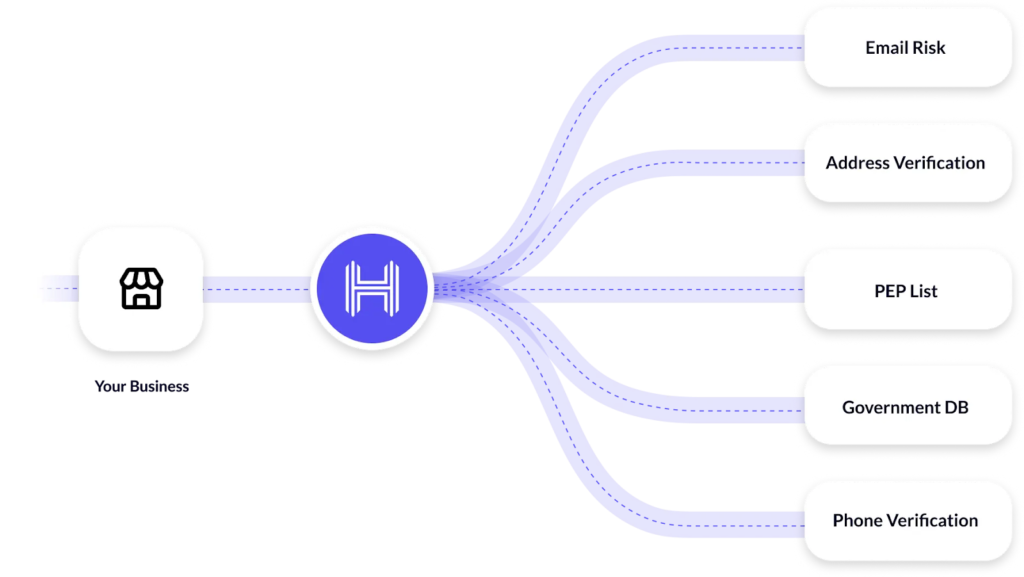
via HyperVerge
G2 rating: 4.7 out of 5 stars
HyperVerge is an AI-powered digital identity verification and document workflow automation platform built to handle document ingestion, verification, and data extraction at scale.
The platform particularly specializes in the front end of document workflows: verifying authenticity, reading identity documents, and extracting structured data through OCR.
It verifies the authenticity of IDs like passports and driver’s licenses, detecting forgery or tampering. Simultaneously, it performs face matching to ensure the person presenting the document is a live user and not a spoof. This integrated process enables businesses to onboard users securely and compliantly.
A key differentiator is its template-agnostic approach, which allows it to handle a vast range of both structured and unstructured document types without requiring a fixed format. This is crucial for processing the diverse array of identity papers, bank statements, and utility bills used in global KYC and onboarding workflows.
Built for a global audience, it supports ID formats from over 195 countries and is engineered to perform reliably even with low-quality image uploads or in low-bandwidth environments.

Key features:
- Automates data extraction from invoices and bank statements for processing (also from identity cards, invoices, and forms using AI-based character and pattern recognition)
- Detect altered or tampered documents by analyzing image layers and embedded digital inconsistencies
- Creates customizable, no-code onboarding workflows for different customer segments
- Provides a secure, centralized audit trail for all document verification activities
- Processes low-quality scanned documents and images with high accuracy
Best for:
Businesses needing secure, global KYC and identity verification, especially in banking, fintech, and other sectors requiring remote onboarding.
- Experlogix Document Automation
G2 rating: 4.7 out of 5 stars
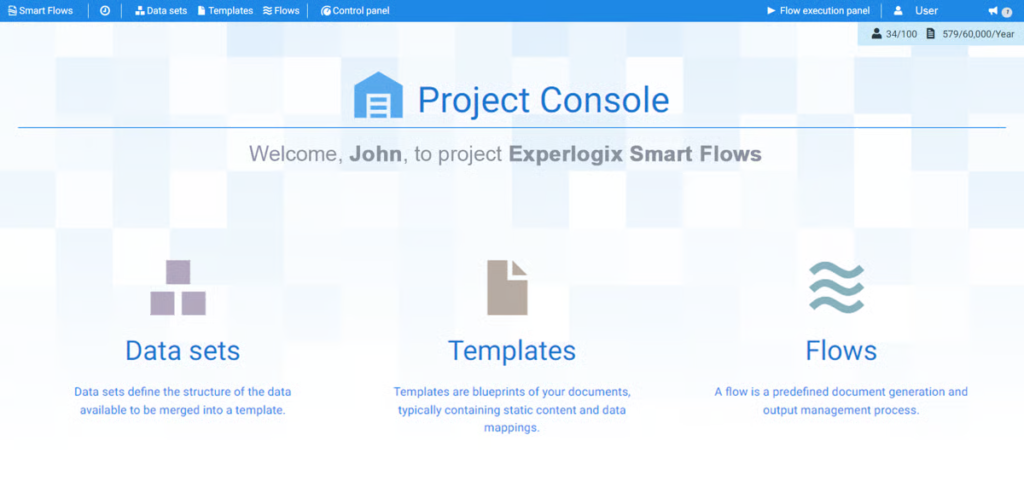
Experlogix Document Automation is a low-code, document workflow automation software that simplifies creating and managing complex business documents. It uses familiar Microsoft Word for template design, letting users add dynamic logic and conditional content without coding.
‘The big takeaways for me are the high demand for solutions that non-technical users can leverage, and how employees feel better about their work when they are adequately supported to use the tools at their disposal.’ —Bill Fox, CEO of Experlogix.
The tool focuses on automating entire document workflows, from generation to delivery and e-signature collection. A key differentiator is its ability to merge multiple data sets from different sources into a single, coherent document. This makes it particularly strong for global enterprises needing multi-language and multi-jurisdiction support.
Key features:
- Advanced AI can instantly translate finished documents into over 130 languages
- Offers deep, pre-built connectivity with major CRM and ERP systems for seamless data synchronization
- Its Smart Flows provide a visual, drag-and-drop interface for non-technical teams to construct entire document lifecycle automations
- It includes a secure, built-in content manager to store and manage digital assets like logos and images
Best for:
Organizations using CRM/ERP systems, especially in manufacturing, insurance, and financial services, for complex sales proposals, contracts, and policy documents.
- Quadient Inspire
G2 rating: 4.8 out of 5 stars
Quadient Inspire is a document automation platform focused on creating dynamic, data-driven communications for high-volume needs.
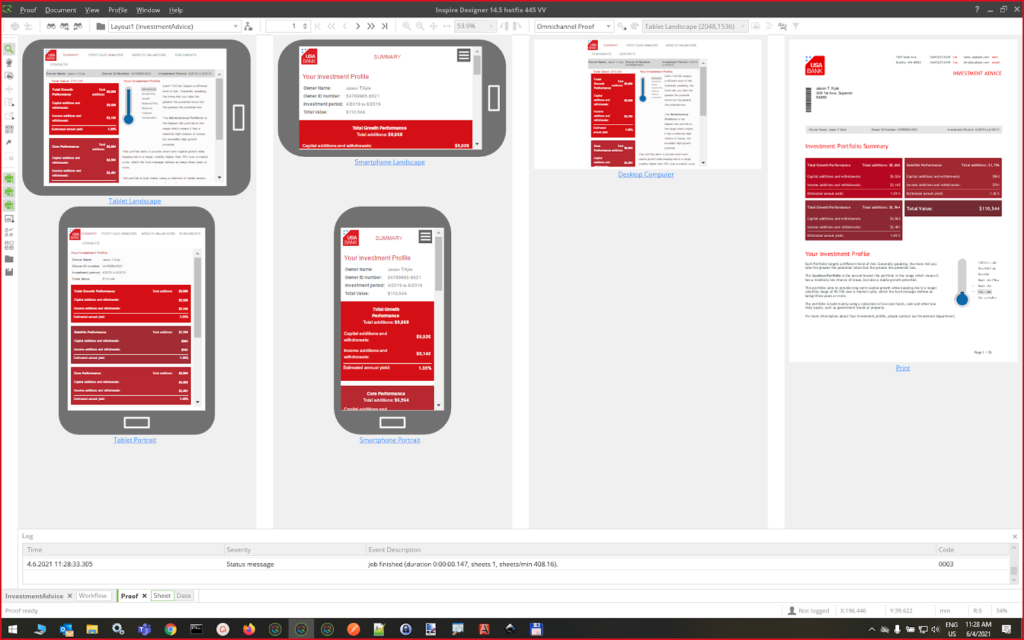
The tool centralizes all content and business rules into one system. This ensures every customer letter, statement, or digital message is perfectly consistent and meets brand guidelines. It turns complex, variable-rich documents into an automated process, delivering them across print, email, and web channels from a single design.
Key features:
- Its version control for templates acts as a single source of truth for global teams
- Embeds compliance checks directly into the content approval workflow
- Allows non-technical staff to handle final document checks and edits through simple, ticket-based tasks
- Deployment flexibility lets a business start in the cloud and shift parts on-premise later without changing the core design
Best for:
Large enterprises in banking, insurance, or utilities that send millions of personalized statements, policies, or bills annually.
- SMART Communications
G2 rating: 4.7 out of 5 stars
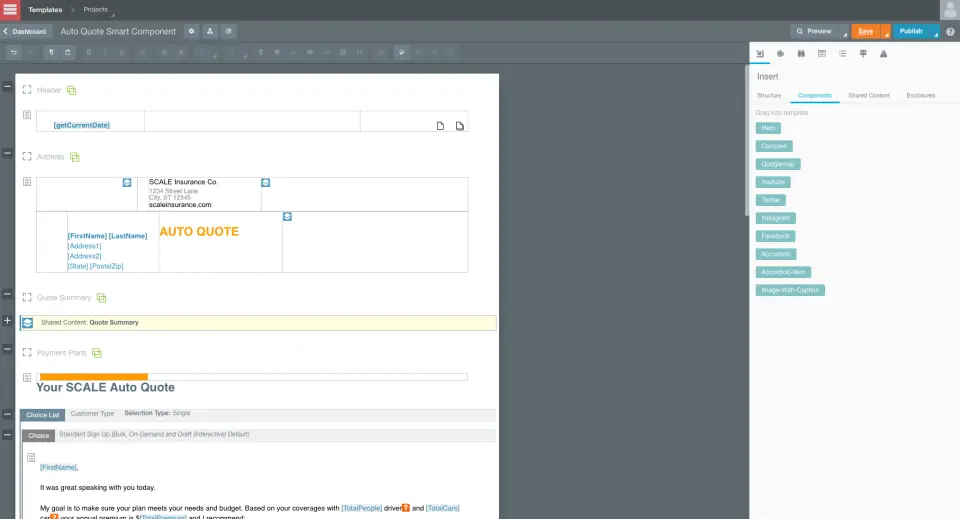
SmartCOMM is a document automation platform for regulated sectors. It uses browser-based tools to build personalized communications. The system manages complex, rule-driven scenarios for both mass and individual document creation.
A key focus is ensuring compliance through controlled content blocks and detailed audit trails, providing strong governance for all outgoing materials.
Key features:
- Design templates visually in a web browser without coding
- Route documents through custom approval workflows automatically
- Produce large batches or single documents on demand
Best for:
Large organizations in insurance, banking, and healthcare that send high volumes of legally sensitive customer correspondence and require strict content control.
- OpenText Exstream
G2 rating: 4.8 out of 5 stars
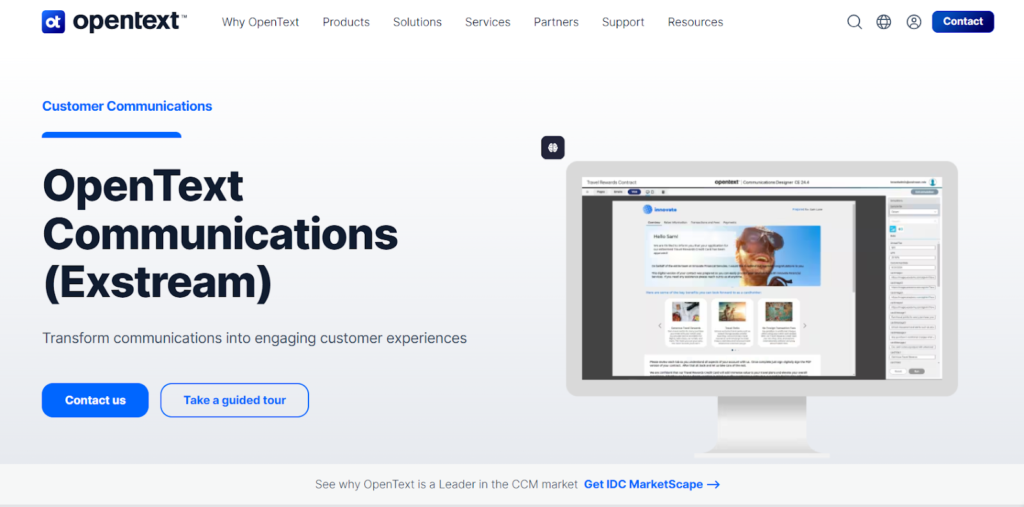
OpenText Exstream is an enterprise platform for managing customer communications. It turns complex business data into clear, personalized documents like bills and statements.
This document automation software uses a single design to produce outputs for email, print, and mobile. This ensures every customer interaction is consistent and on-brand. It is built for large organizations that send high volumes of regulated communications, helping them maintain strict compliance and governance across all their customer touchpoints.
Key features:
- Design reusable content blocks for different document types
- Control document edits with role-specific permissions
- Automate large batch jobs and create single documents instantly
- Preview content rendering on various mobile devices
- Access a centralized library for approved marketing assets
Best for:
Insurance teams that create policies and claims documents, and finance and utility companies that generate complex, compliant billing statements. It also benefits marketing operations needing dynamic, brand-controlled content.
- Adobe Experience Manager Forms
G2 rating: 4.1 out of 5 stars
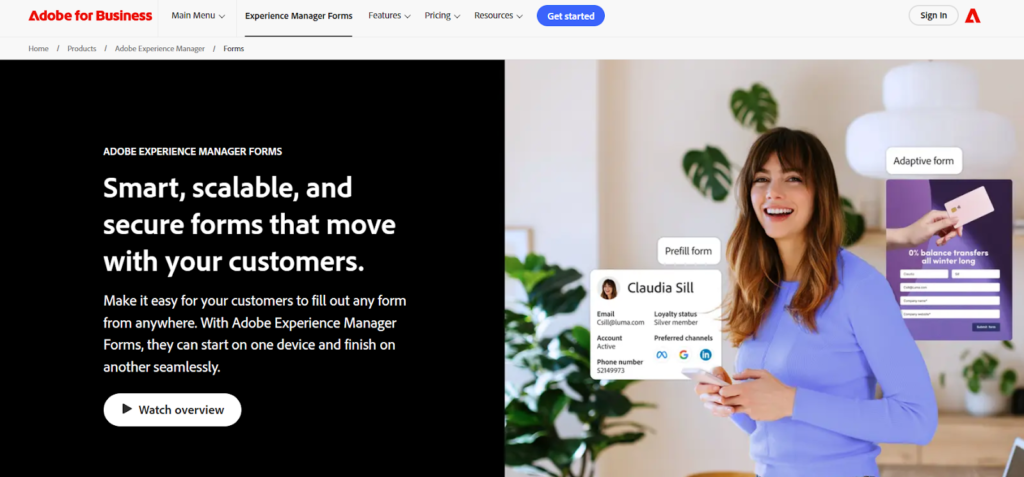
Adobe Experience Manager is a content and document management system. It’s AEM Forms module automates creating and managing complex digital forms. It centralizes brand assets and document templates for consistent use everywhere.
The tool also helps large organizations send personalized communications at high volume. It also manages secure document workflows, including digital signatures and approvals, across all customer channels.
Key features:
- Automate multi-step approval workflows for documents like contracts and application forms
- Design adaptive forms that seamlessly adjust their layout for any mobile device
- Pre-fill form fields automatically using data from customer profiles or databases
- Embed and operate complex forms on any external website or digital platform
- Build custom field logic that shows or hides questions based on user answers
Best for:
Large enterprises in banking, insurance, and government for digitizing high-volume paperwork like applications and agreements. Marketing and compliance teams managing branded, regulated documents also benefit.
7. PandaDoc
G2 rating: 4.7 out of 5 stars
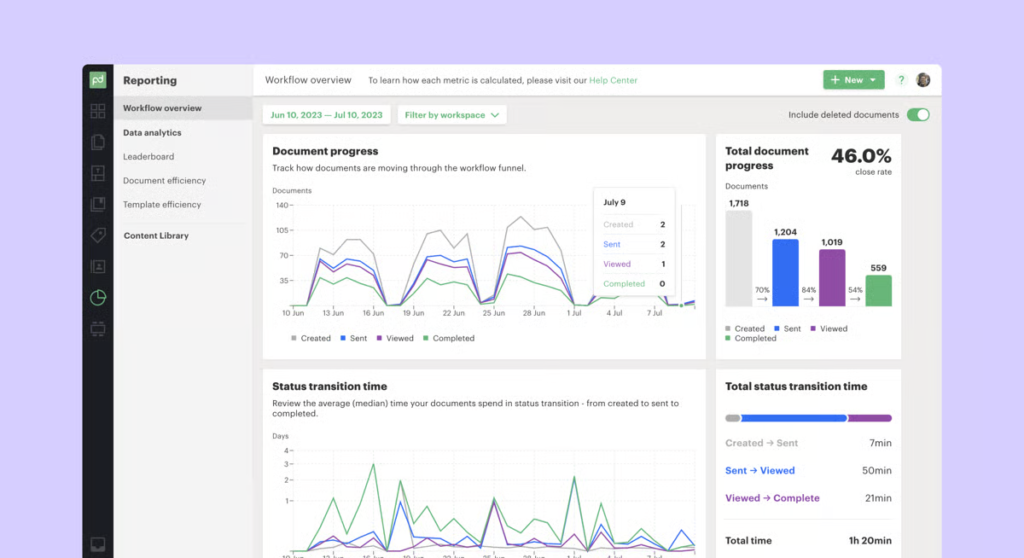
PandaDoc is a popular document automation platform that speeds up creating, sending, and managing HIPAA, FERPA, and GDPR-compliant business documents. It specializes in producing compliant proposals, contracts, and quotes quickly.
‘We’re making sure that every business — from a startup to a global enterprise — has access to secure, intelligent, and affordable technology to generate, execute, and store agreements. That’s how we’ll redefine this industry.’ — Mikita Mikado, CEO of PandaDoc.
The tool uses branded templates and a simple editor, allowing teams to design professional documents without design skills. Its integrated e-signature and payment collection further turn documents into actionable tools, while keeping branding consistent.
Key features:
- Collect payments and legally binding signatures directly within your documents
- Track document engagement to see which sections your clients read
- Automatically generate thousands of personalized documents using the REST API
- Ensure brand and legal consistency across all company documents automatically
Best for:
Sales and marketing teams creating high-volume proposals, plus HR and legal departments needing compliant, error-free contracts.
8. Conga Composer
G2 rating: 4.4 out of 5 stars
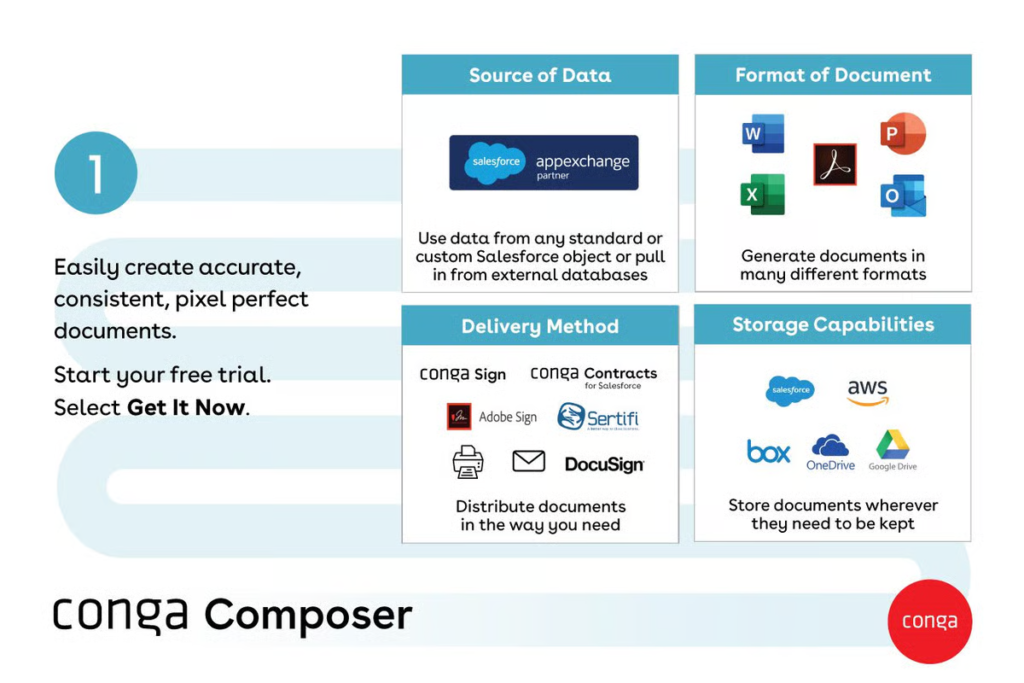
Conga Composer is a cloud-based tool that creates personalized documents automatically. It pulls data directly from systems like Salesforce to build accurate, branded files, supporting many formats like PDF, Word, and PowerPoint. It also helps with high-volume tasks, generating and sending many documents at once.
You can also store files in cloud services or share them via secure links; plus, it connects with eSignature providers for faster deal completion.
Key features:
- Pull data from multiple sources to create personalized documents automatically
- Generate and send large batches of documents to many recipients
- Edit document content in real-time before you send it out
- Save completed files directly to your preferred cloud storage platforms
- Insert dynamic charts and images for a more professional document finish
Best for:
Sales and legal teams inside companies that use Salesforce for managing contracts, proposals, and other client communications.
9. HotDocs
G2 rating: 4.3 out of 5 stars
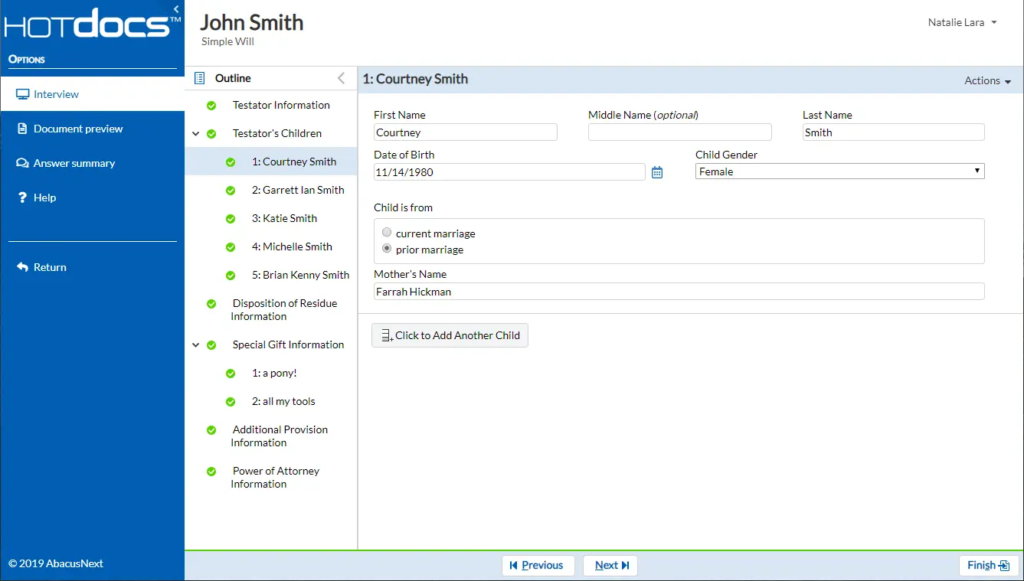
Mitratech HotDocs is a leading document automation software that turns standard documents and forms into smart, reusable templates. This is done through a dynamic question-and-answer interview.
The tool ensures high accuracy for complex, high-volume document sets and offers strong version control and multiple language support for global teams. Its powerful integrations pull data directly from other core business systems to auto-fill documents.
Key features:
- Create smart templates with built-in conditional logic and rules
- Produce hundreds of personalized documents simultaneously via batch processing
- Maintain a single, secure library for all company-approved templates
- Design and use templates directly inside Microsoft Word
Best for:
Legal, finance, and insurance teams that manage complex, high-stakes paperwork. It benefits any group needing perfect, consistent documents at a large scale.
10. Windward Studios
G2 rating: 4. 4 out of 5 stars
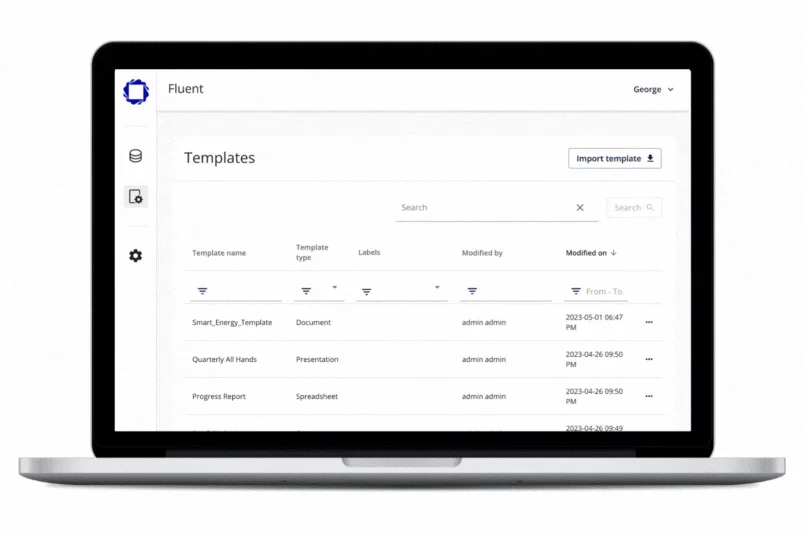
Fluent by Apryse, formerly Windward Studios, is a document generation tool that integrates directly into Microsoft Office. It allows teams to design custom templates in Word, Excel, and PowerPoint and connect to multiple data sources to automatically populate and produce error-free, formatted documents.
‘We’ve constantly worked to make it easier and easier for people to do amazing things simply. And that has moved us further and further ahead of our competitors. And the key to this is we don’t sit still — we keep looking for additional functionality we can add to make it even more amazing. —David Thielen, CEO of Windward
The platform’s engine further embeds into any application with minimal code, placing template design control directly with business users. This removes the need for constant technical support and helps create a high volume of professional, data-driven documents efficiently.
Key features:
- Pull and combine information from several different data sources
- Place data into your layout using an intuitive drag-and-drop method
- Schedule the system to create and send reports on a repeating basis
Best for:
Finance and sales teams who create complex reports, plus legal and compliance departments that generate accurate, regulated documents.
11. Nintex
via G2: Nintex
G2 rating: 4.3 out of 5 stars
Nintex is a process automation platform that helps businesses manage workflows. It serves industries like energy, finance, and government, with tools for teams in HR, IT, and customer service.
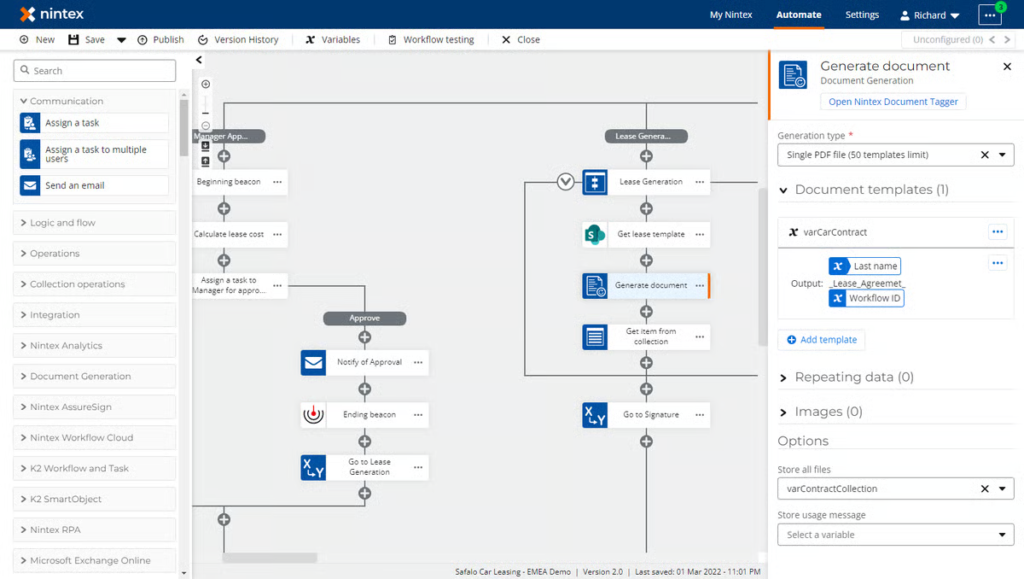
The platform offers features for automating document creation, building mobile apps, and mapping business processes. A key part of its offering includes the K2 platform, which is designed for building more complex, customized workflow solutions that connect deeply with various business systems. Nintex works with cloud and on-premises setups.
Key features:
- Visually design workflows by simply dragging and dropping components
- Generate custom documents automatically in multiple languages and formats
- Extract key data from complex forms and invoices using built-in AI
- Connect to business applications like Salesforce and SharePoint easily
- Manage and complete workflow tasks from any mobile device
Best for:
Finance, government, and manufacturing teams that handle high volumes of forms, invoices, and compliance documents will find it particularly useful.
LLM and AI integration/Future trends in document automation
AI is changing how document workflow automation software operates at a fundamental level.
Natural language processing, for instance, is letting document automation software now understand the meaning inside documents. The platform can learn a contract clause’s risk, spot obligations hidden in dense paragraphs, or compare new versions with past ones.
Machine learning is also playing a key role in extracting data. Once the system sees enough examples of how to find date fields, party names, amounts, or signatures, it begins doing that work automatically. Plus, it can handle messy inputs: table layouts, handwritten notes, or mixed formats. You get consistency in data collection and fewer back-and-forth corrections.
Legal teams, for instance, can ask an AI-powered best document automation software for law firms in simple language: ‘What does this say about data privacy?’ and get clear, relevant answers. The tool can also generate summaries of long agreements or suggest alternative clause wording in the company’s style.
Predictive analytics adds another layer of value here. Using historic data, it can suggest changes: reroute reviews, assign work based on load, or surface documents that will miss the deadline.
So, if your business is focused on getting AI-powered document automation software, these are the key checks to keep in mind:
- Quality and volume of sample documents for training
- Strong search that links back to source texts
- Dashboards that flag delays and
- Safeguards for data privacy and regulatory compliance
- Follow a mobile-first approach
| 👀Did you know? More than 5,000 U.S. law firms rely on document automation systems, producing over 40 million documents each year. |
How to choose the right document automation software
If you’ve read so far and find all great, here is a quick four-pointer checklist to help you choose the one solution that delivers genuine value and supports your business objectives effectively:
- Assess your organizational needs
Start by mapping your specific document workflows. Identify the types of documents you process most frequently and pinpoint the exact pain points in your current manual methods.
This analysis forms the foundation for your requirements list.
- Define your budget parameters
Establish a clear budget that goes beyond the initial software cost. Account for implementation fees, training time for your team, and any recurring charges for updates or support.
A transparent view of the total cost prevents unexpected financial strain.
- Confirm integration capabilities
The software must work with your existing tools. Verify its ability to connect to critical systems like your CRM, ERP, or cloud storage platforms.
Seamless integration is necessary to avoid data silos and maintain workflow continuity.
- Evaluate scalability factors
Consider your future growth. The chosen document workflow automation software should accommodate an increase in document volume and a growing number of users without a drop in performance or a significant cost increase. It should grow in capacity as your business does.
HyperVerge checks off all the pointers and offers a distinct approach to document workflow automation. Its technology focuses on high-accuracy data extraction from diverse document formats, directly addressing core processing needs. The platform is built for seamless integration into existing business systems and is designed to scale with your operational demands.

For organizations seeking a practical and powerful automation solution, HyperVerge delivers measurable improvements in processing speed and data reliability. It’s been successfully transforming manual document handling into an efficient, automated workflow for several industries now.
To learn more, book a free demo now!
